One sentence, one or more entries
Say or type “coffee 35, subway 4”. You do not have to enter the item, amount and category in separate fields.
 VoBill
Voice Bill. Say it, save it.
VoBill is Voice Bill, an AI-powered voice expense tracker. To record an expense, just say or type one sentence, like “coffee 35, subway 4”. No need to split item, amount and category by hand.
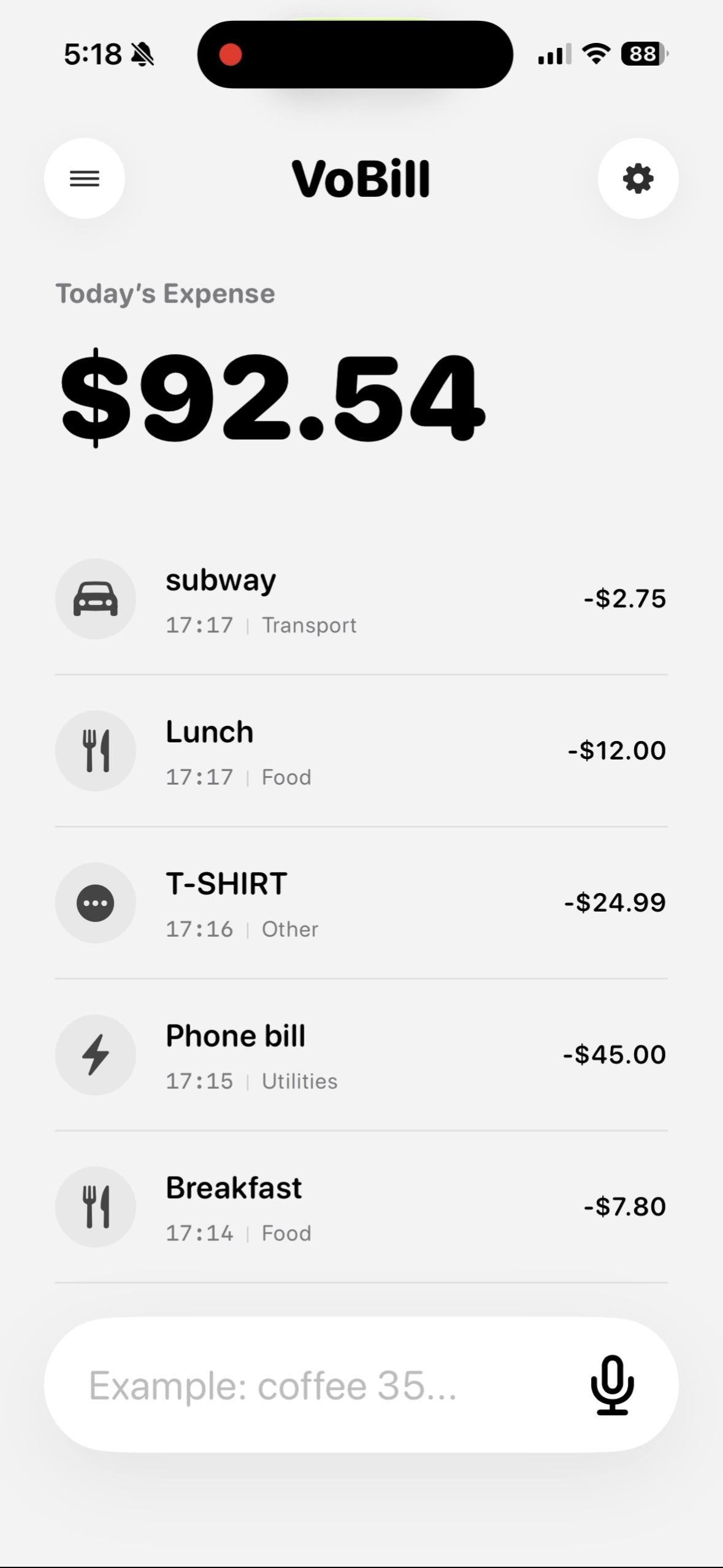
Built for real accounting
Say or type “coffee 35, subway 4”. You do not have to enter the item, amount and category in separate fields.
VoBill pulls entries from natural language, recognizes expenses, income and transfers, then places them in suitable categories.
Food, transport, shopping, subscriptions, income, side work and transfers are recognized automatically.
Daily spend, monthly total, category breakdowns, trends and top expenses are shown with calm, readable charts.
Product demo
A short video will show how VoBill turns everyday words into clear entries and saves them with categories.
iPhone quick entry
VoBill supports iOS Shortcuts and App Intents. Set double tap to open a text input and triple tap to start voice entry.
Open a bill input box. Type “coffee 35, subway 4”, and VoBill splits it into entries.
Add VoBill Quick EntryStart voice input. VoBill recognizes the text, splits the bill, categorizes it and saves it.
Add VoBill Voice Entry

Accounting flow
Traditional expense apps make you jump between item, amount and category fields. VoBill lets you enter a full sentence, by voice or text, and lets AI do the splitting and filing.
“coffee 35, subway 4”
coffee $35, subway $4
drinks, transport, saved
Privacy and data ownership
VoBill is local-first. Your records stay on your iPhone; sync and backup use your own iCloud.
FAQ
No. Voice is the fastest entry point, but you can also type. Either way, one natural sentence can create the record.
You do not fill item, amount and category separately. Enter “coffee 35, subway 4”, and VoBill splits and categorizes it.
After installing VoBill, add the Shortcuts, then bind them in Settings > Accessibility > Touch > Back Tap.
Records are local-first and stored on your iPhone. Sync or backup uses your own iCloud.
Yes. VoBill supports CSV export for backup, migration and further analysis.
Built for everyday iPhone accounting: speak when you can, type when you prefer, and keep recording lightweight.